
Deadlock Cheat Menu Features: How to Read the Claims
Learn how to compare Deadlock cheat-menu claims without assuming every ESP or aimbot row is in your plan.
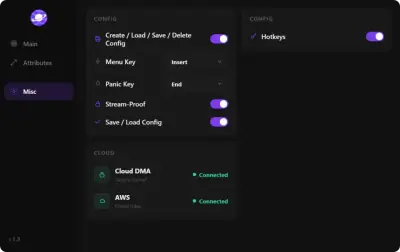
Search results for “Deadlock cheat menu” often show long feature lists: boxes, skeletons, health bars, FOV circles, radar, and ability readouts. Those lists are useful vocabulary. They are not interchangeable between sellers or even between monthly and lifetime SKUs.
Start with the feature category
Sort terms before you judge a product. Aim terms cover FOV, smoothing, silent aim, and bones. Visual terms cover ESP, wallhack language, and radar. Objective terms may mention souls, troopers, or shop zones. A page that dumps all of them together still needs to say which rows ship with the plan you will pay for.
A practical reading checklist
- Look for a current Deadlock date or version note.
- Check whether the page names Windows, Intel, AMD, or neither.
- Identify included features versus screenshots or future requests.
- Read limitations before the purchase button.
- Use support when a feature exists only in a crop of a menu.
Do not turn marketing words into guarantees
Words such as “undetected,” “private,” or “premium” are labels unless the product page defines them. They do not establish coverage for a particular hero, map, or future Valve update.